学习模式

品牌提升-LTX多角度模特教学

10个月前 定制化虚拟模特 作者:星宇
电商
服装
平面
模特

Super-i 每个人都可以成为超级个体

场景 AI电商模特

痛点 真人实拍时间与资金问题

思考 AI生成虚拟模特,Ltx改变模特姿势
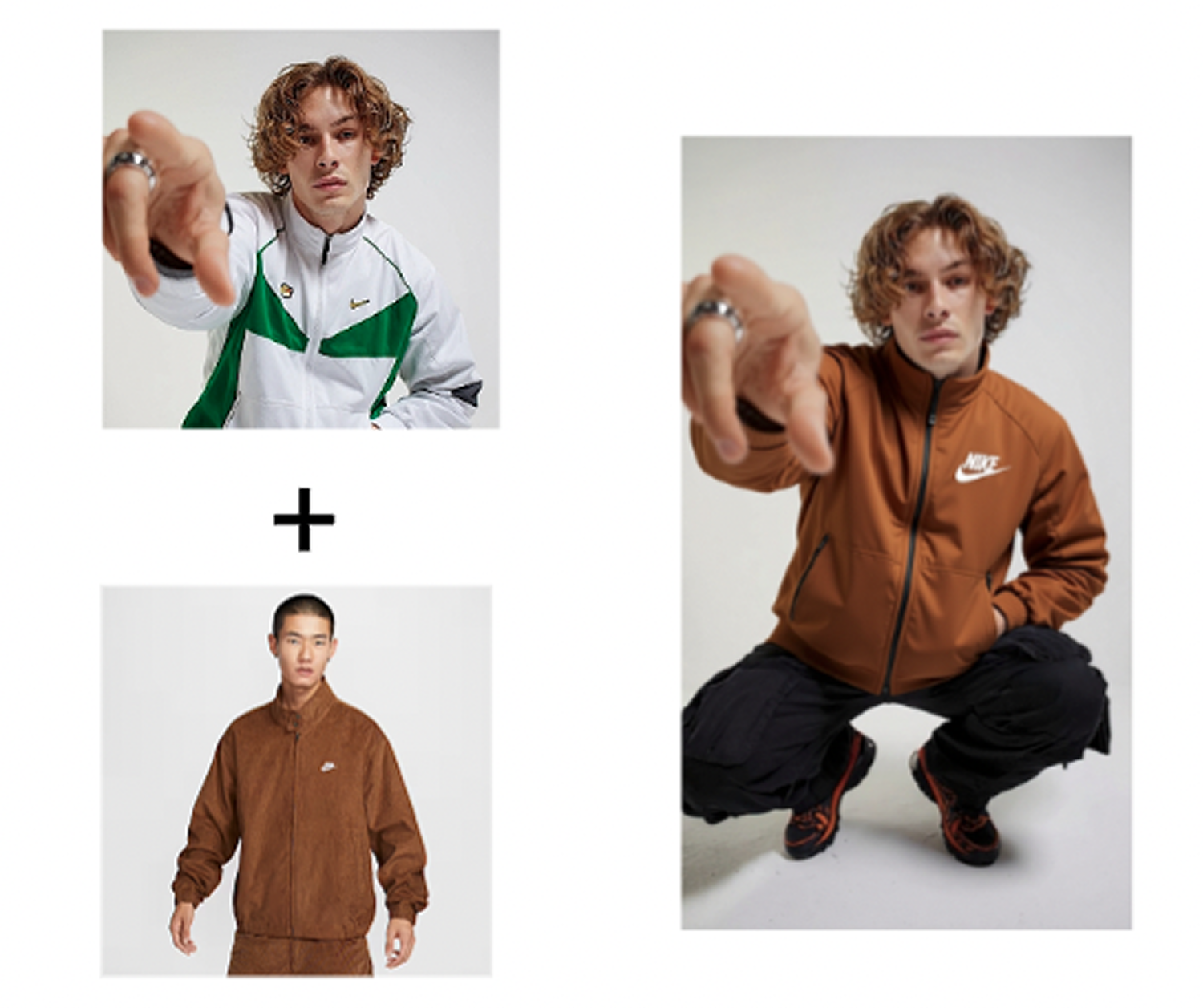


image 966.png

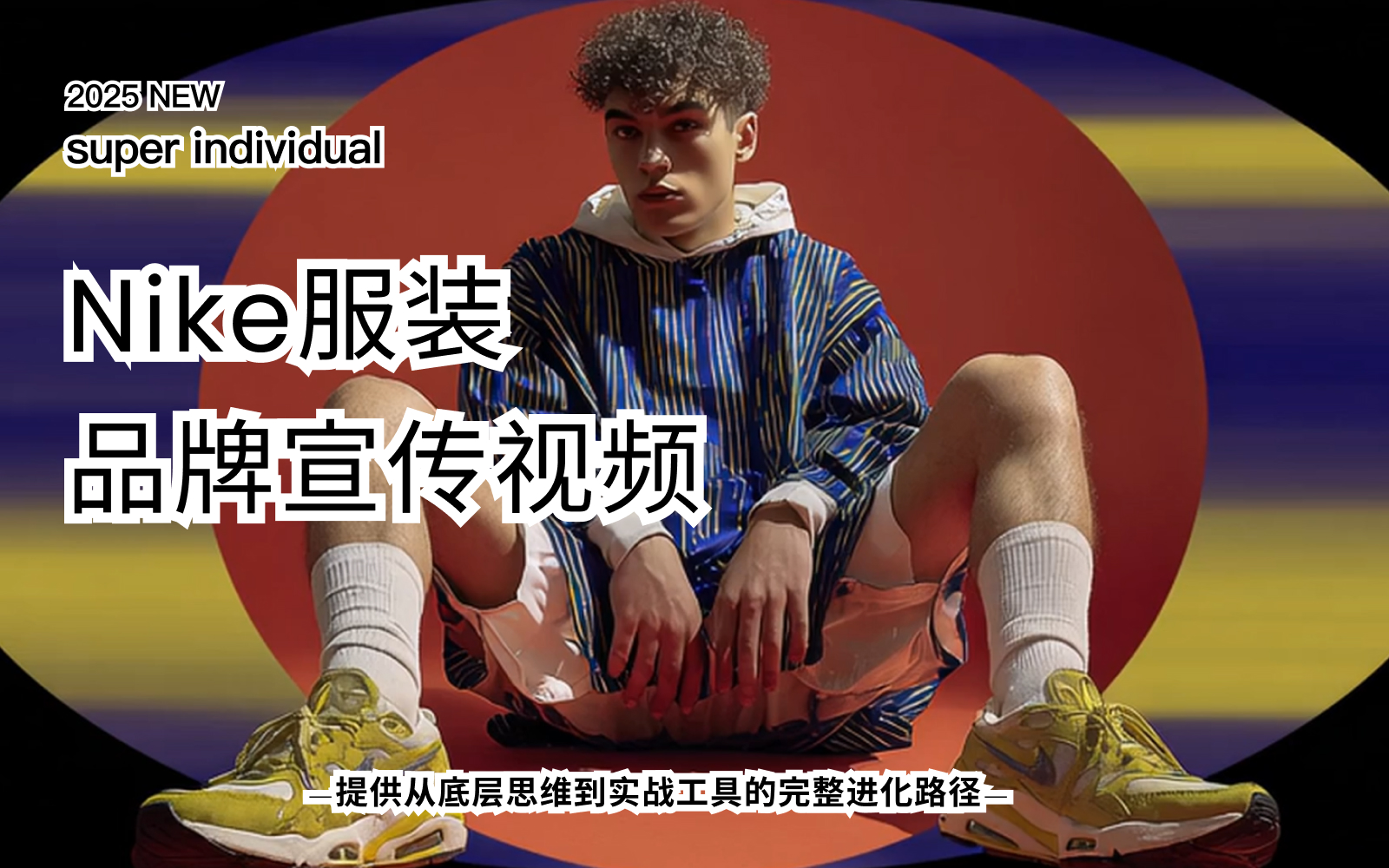
今天教大家如何快速更换产品模特并生成多角度的摄影图

一、模特服装替换


首先我们打开LTX studio然后点击左下角的图片上传
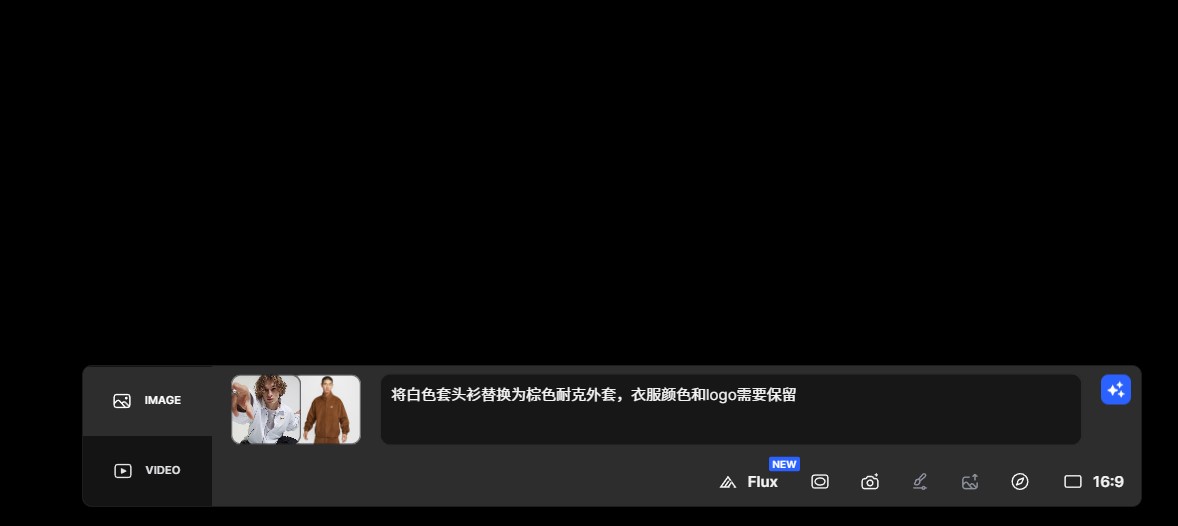
屏幕截图 2025-09-04 172258.jpg先上传我们的模特图然后再上传我们的产品图 接着我们把提示词粘贴上去这最好是用英文提示词会比较精准

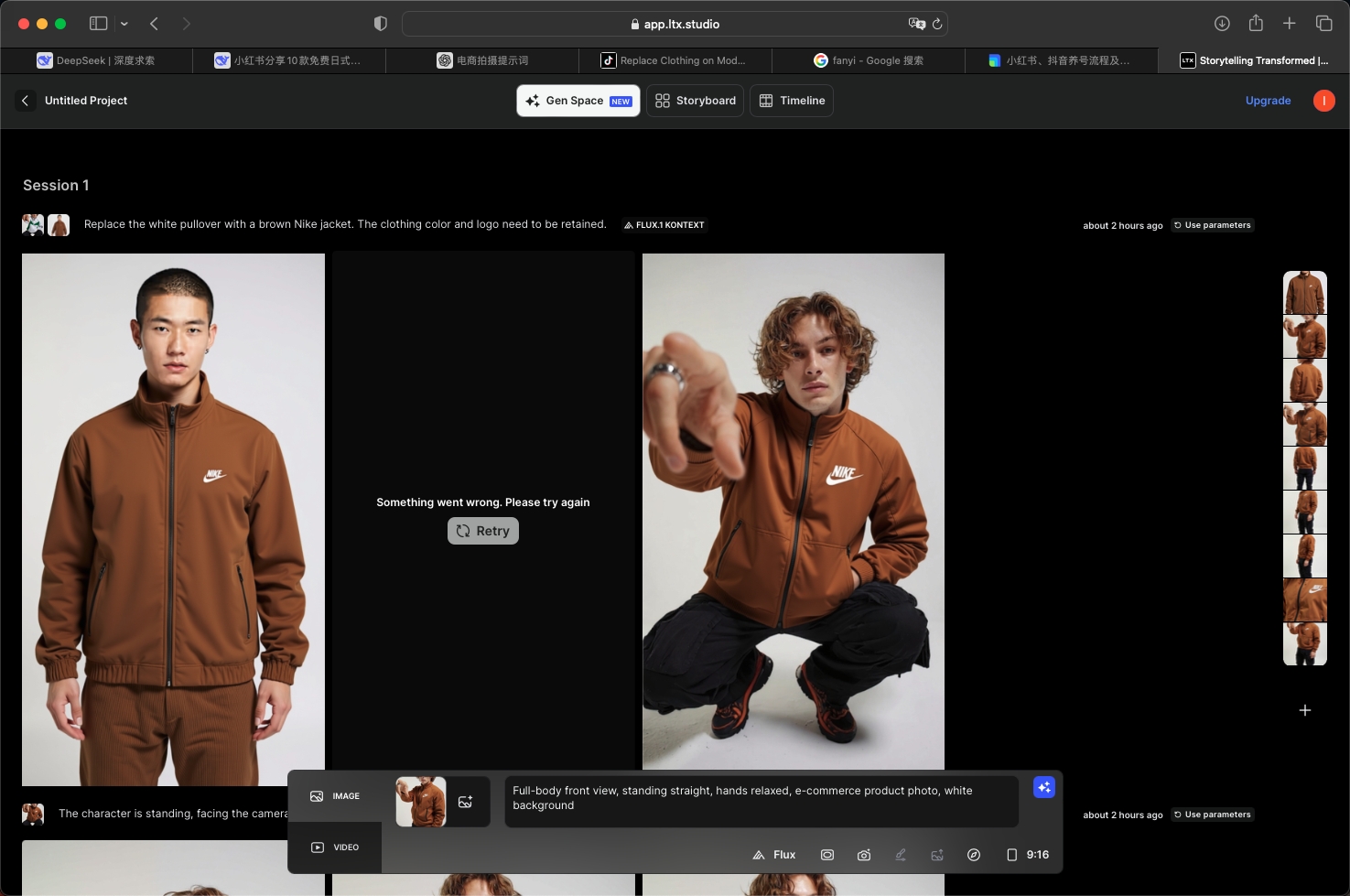
-Replace the white pullover with a brown Nike jacket, keeping the color and logo of the clothes.
img_v3_02pq_c09f07af-d022-45d1-bdf2-1bfbdc53b73g.jpg

接着我们点击生成等待一会就会获得几张图片你的提示词越精准 它的效果会更好


二、 模特角度调整


然后我们打开GPT

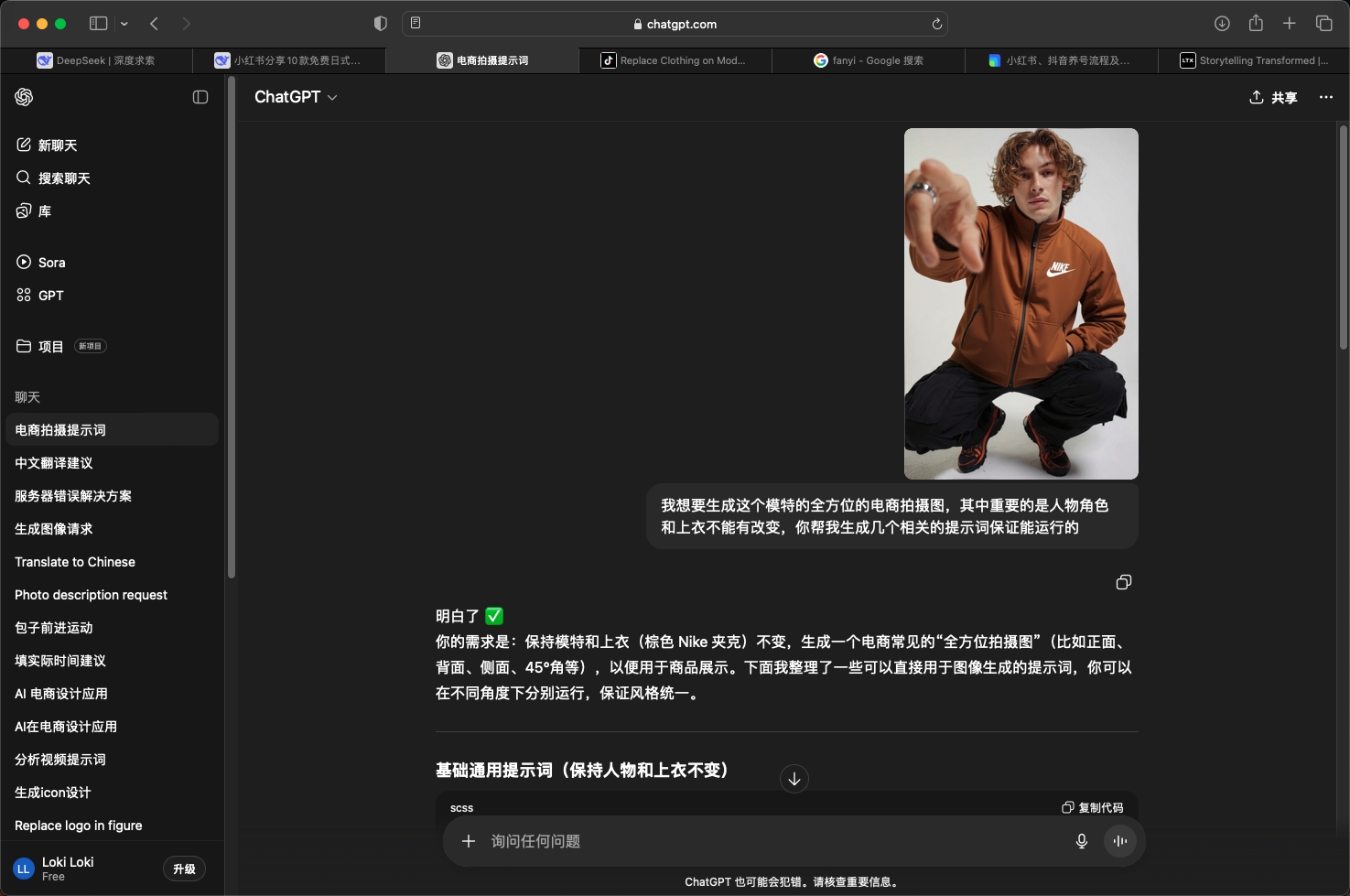
上传刚才保存的模特图并让他帮你按照这张图生成模特多角度的提示词

-我想要生成这个模特的全方位的电商拍摄图,其中重要的是人物角色和上衣不能有改变,你帮我生成几个相关的提示词保证能运行的
img_v3_02pq_7ab27623-fa24-4bf5-9bfc-32afaf8ae18g.jpg

那我们就得到了不同角度的模特图的提示词

接着我们复制提示词重新粘贴后我们就能得到不同角度但是角色和产品一致的全新模特图了
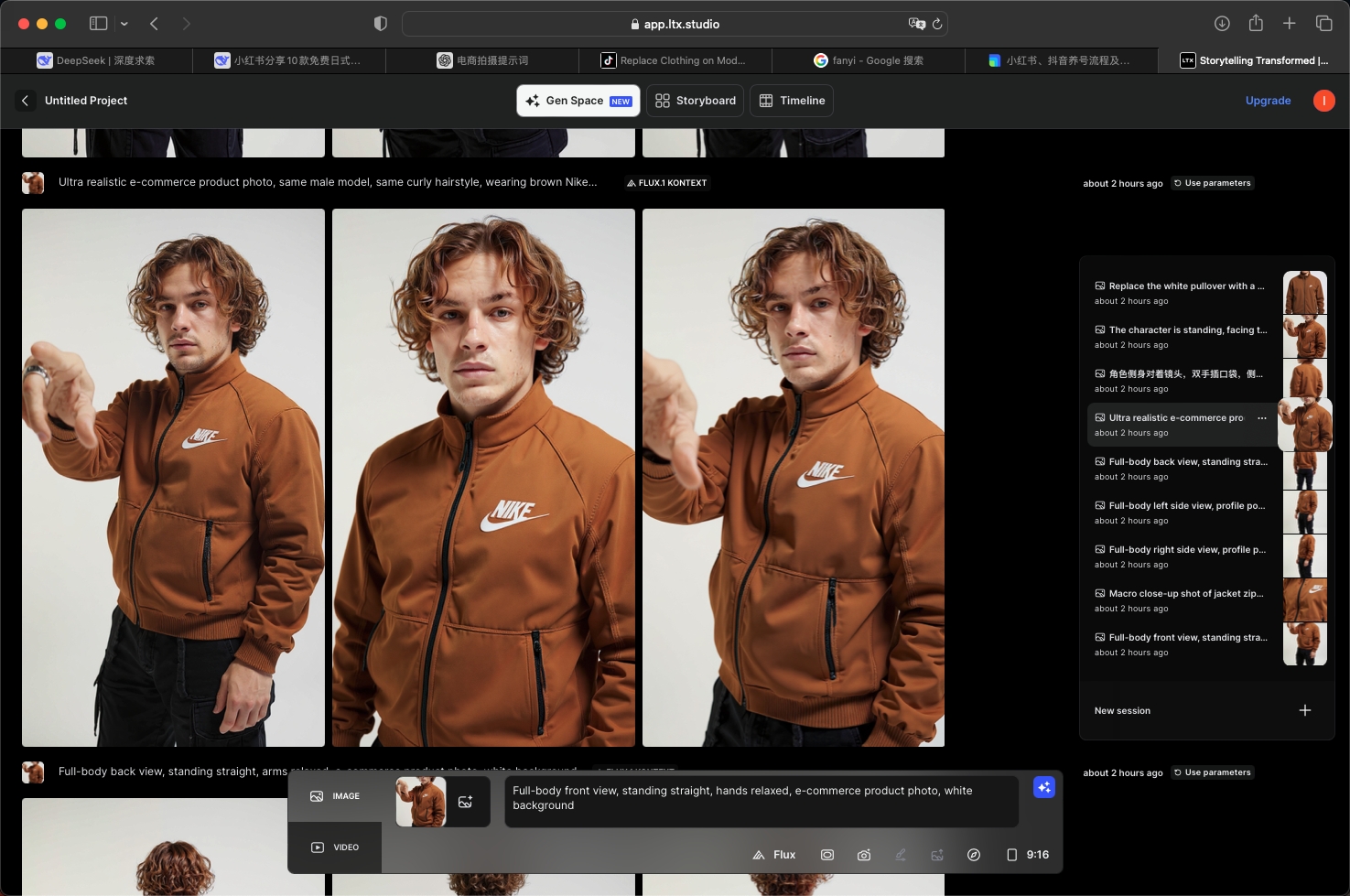
20250904-173135.jpg20250904-173130.jpg

这结尾这里放下我的角度提示词:

  1. Ultra realistic e-commerce product photo, same male model, same curly hairstyle, wearing brown Nike jacket with zipper, Nike logo clearly visible, studio white background, high resolution, sharp focus, consistent lighting

  2. Full-body front view, standing straight, hands relaxed, e-commerce product photo, white background
  3. Full-body back view, standing straight, arms relaxed, e-commerce product photo, white background
  4. Full-body left side view, profile pose, standing straight, e-commerce product photo, white background
  5. Full-body right side view, profile pose, standing straight, e-commerce product photo, white background
  6. Upper body close-up, focus on Nike jacket details, zipper, logo, fabric texture, e-commerce product photo, white background
  7. Macro close-up shot of jacket zipper and pocket, sharp focus, e-commerce product detail photo, white background


电商
服装
平面
模特
评论区
共 0 条评论
关闭

Super-i 每个人都可以成为超级个体

场景 AI电商模特

痛点 真人实拍时间与资金问题

思考 AI生成虚拟模特,Ltx改变模特姿势


image 966.png

今天教大家如何快速更换产品模特并生成多角度的摄影图

一、模特服装替换


首先我们打开LTX studio然后点击左下角的图片上传

屏幕截图 2025-09-04 172258.jpg先上传我们的模特图然后再上传我们的产品图 接着我们把提示词粘贴上去这最好是用英文提示词会比较精准

-Replace the white pullover with a brown Nike jacket, keeping the color and logo of the clothes.

img_v3_02pq_c09f07af-d022-45d1-bdf2-1bfbdc53b73g.jpg

接着我们点击生成等待一会就会获得几张图片你的提示词越精准 它的效果会更好


二、 模特角度调整


然后我们打开GPT

上传刚才保存的模特图并让他帮你按照这张图生成模特多角度的提示词

-我想要生成这个模特的全方位的电商拍摄图,其中重要的是人物角色和上衣不能有改变,你帮我生成几个相关的提示词保证能运行的

img_v3_02pq_7ab27623-fa24-4bf5-9bfc-32afaf8ae18g.jpg

那我们就得到了不同角度的模特图的提示词

接着我们复制提示词重新粘贴后我们就能得到不同角度但是角色和产品一致的全新模特图了
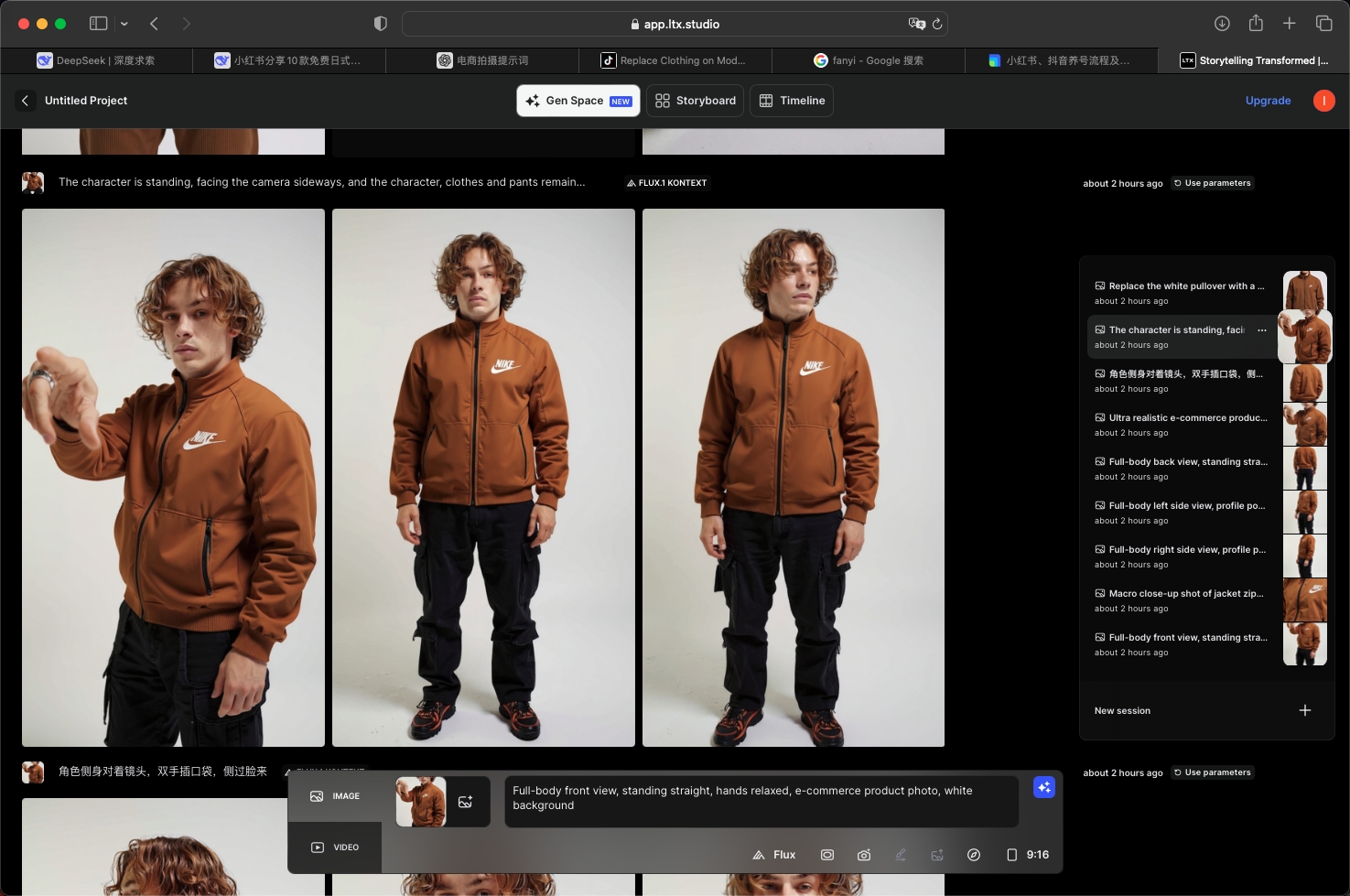
20250904-173135.jpg20250904-173130.jpg

这结尾这里放下我的角度提示词:

  1. Ultra realistic e-commerce product photo, same male model, same curly hairstyle, wearing brown Nike jacket with zipper, Nike logo clearly visible, studio white background, high resolution, sharp focus, consistent lighting

  2. Full-body front view, standing straight, hands relaxed, e-commerce product photo, white background
  3. Full-body back view, standing straight, arms relaxed, e-commerce product photo, white background
  4. Full-body left side view, profile pose, standing straight, e-commerce product photo, white background
  5. Full-body right side view, profile pose, standing straight, e-commerce product photo, white background
  6. Upper body close-up, focus on Nike jacket details, zipper, logo, fabric texture, e-commerce product photo, white background
  7. Macro close-up shot of jacket zipper and pocket, sharp focus, e-commerce product detail photo, white background


速用卡

电商转化执行卡

把这节课压缩成一张可执行卡片:看重点、照步骤、避坑,再复制模板直接开做。

一句话重点

这节课讲的不是单纯出图,而是围绕「品牌提升-LTX多角度模特教学」把产品主体、卖点和场景一起做成能转化的视觉方案。

落地顺序

先抓产品卖点,再定场景和氛围,接着检查产品是否突出,最后再扩展成图或视频。

照着做清单
  1. 先把产品核心卖点说透。
  2. 准备好产品图、材质和风格方向。
  3. 先做主视觉,再补场景图和详情图。
  4. 画面要服务卖点,别让背景喧宾夺主。
  5. 检查产品结构、Logo、材质和比例。
  6. 把同品类里能复用的写法整理出来。
最容易踩坑

不要只追求画面好看而忘记卖点;产品主体、材质、使用场景和购买理由必须清楚。

成品自检

检查产品是否一眼可见;核心卖点是否明确;材质是否真实;场景是否服务购买决策;是否适合做主图、详情页或短视频。

可直接复制的万能模板
请围绕「品牌提升-LTX多角度模特教学」帮我做一个可直接执行的方案。
我的目标是:【填写你的具体目标】
我的素材/产品/角色信息是:【填写已有素材和限制】

请输出:产品卖点拆解、主视觉方案、场景图提示词、短视频脚本和转化自检清单。要求产品突出、材质真实、卖点清楚。